Introducing jenkinsfilelint: Catch Jenkinsfile Errors Before You Commit

Have you ever pushed a Jenkinsfile change only to discover a syntax error after Jenkins has started running the pipeline? Or had to wait through a full CI cycle just to learn that you have missed a closing bracket?
I have built jenkinsfilelint to catch these problems early — right at commit time, before the code ever reaches the CI.
What is jenkinsfilelint?
jenkinsfilelint is a command-line tool and a pre-commit hook that validates Jenkinsfiles through your real Jenkins instance.
Instead of trying to parse Jenkins Pipeline syntax locally — which is notoriously difficult since Jenkinsfiles are Groovy-based with server-side resolution — it sends the file to your Jenkins controller’s validation endpoint and reports the results directly in your terminal.
Under the hood, it calls the Pipeline Linter endpoint:
$JENKINS_URL/pipeline-model-converter/validateThis is the same validation that Jenkins uses when you manually test a pipeline script through the web UI. If the file passes validation on this endpoint, it will pass on the server as well.
Why Not Just Use the Built-in Linter?
Jenkins provides a built-in "Pipeline Syntax" page where you can paste a script and test it manually. The problem is that copy-pasting every Jenkinsfile change into a web form is tedious and error-prone, especially when you are working with multiple pipeline files or iterating rapidly.
jenkinsfilelint automates this step so that validation becomes part of your normal development workflow.
How It Works
1. Configure
Add the hook to your .pre-commit-config.yaml file:
repos:
  - repo: https://github.com/jenkinsci/jenkinsfilelint
    rev: v1.4.0
    hooks:
      - id: jenkinsfilelint
        args: ["--include", "Jenkinsfile"] # Adjust the pattern as needed
Install the pre-commit hooks:
pip install pre-commit
pre-commit install
Set your Jenkins credentials as environment variables (never commit tokens to your config file):
export JENKINS_URL=https://your-jenkins-instance.com
export JENKINS_USER=your-username
export JENKINS_TOKEN=your-api-token
2. Commit
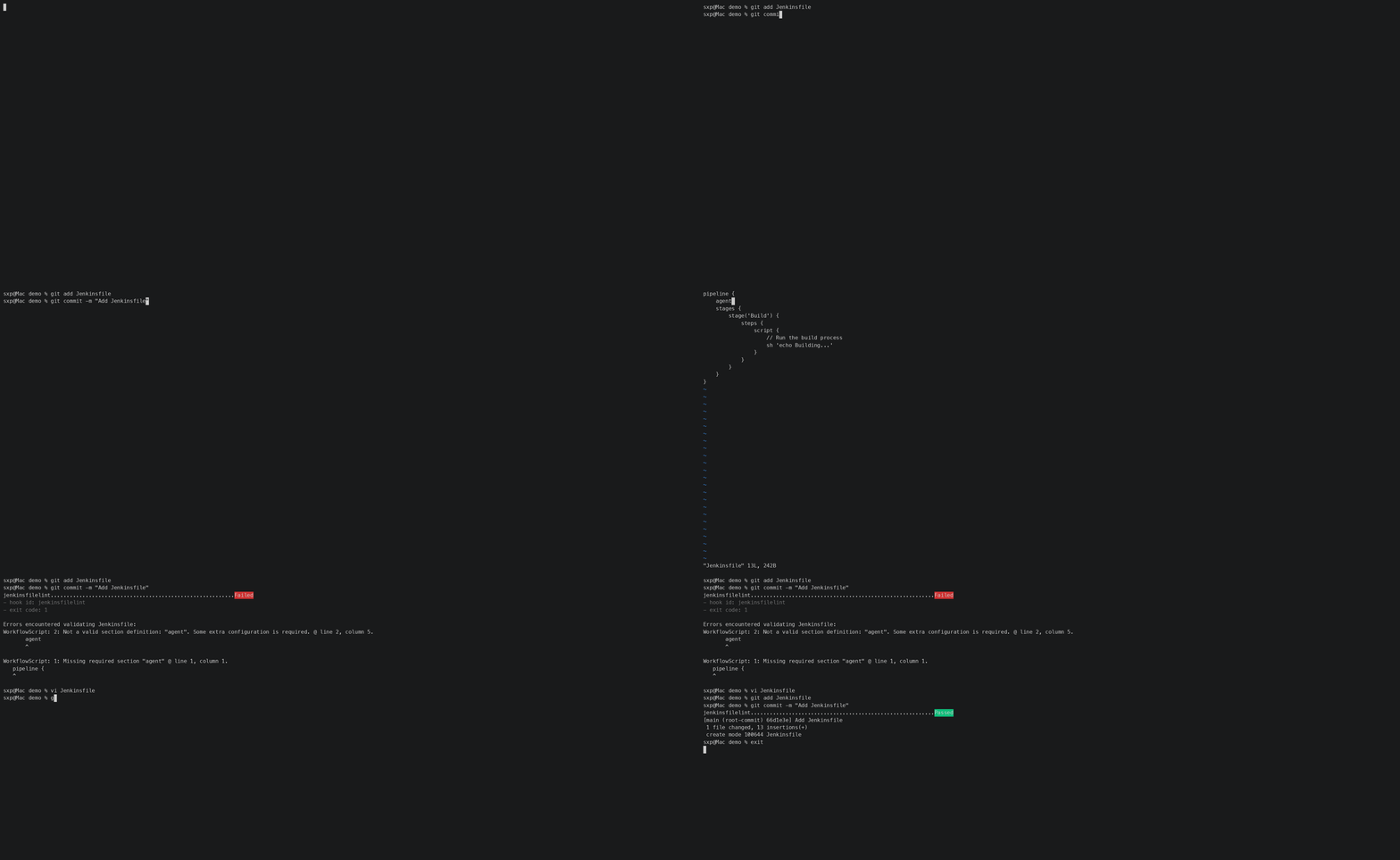
If there is an error, the commit is blocked and an error message is shown in your terminal.
% git commit -m "Update Jenkinsfile"
jenkinsfilelint..........................................................Failed
- hook id: jenkinsfilelint
- exit code: 1

Errors encountered validating Jenkinsfile:
WorkflowScript: 17: Expected a step @ line 17, column 11.
             test
             ^
After fixing the error, the commit will succeed:
% git commit -m "Update Jenkinsfile"
jenkinsfilelint..........................................................Passed
[master 9b0fd49] Update Jenkinsfile
 1 file changed, 1 insertion(+)
Filtering Files
In real-world repositories — especially Jenkins shared libraries — not every .groovy file is a Jenkins Pipeline script.
Some are pure Groovy helper classes that should not be sent to the Pipeline Linter.
jenkinsfilelint provides two filtering options to handle this:
# Use `--skip` to exclude non-pipeline Groovy files
hooks:
  - id: jenkinsfilelint
    args: ["--skip=*/src/*.groovy", "--skip=vars/*.groovy"]
# Use `--include` to validate only files matching specific patterns
hooks:
- id: jenkinsfilelint
args: ["--include=Jenkinsfile*", "--include=pipelines/*.groovy"]The --include and --skip options can be combined: --include first narrows the set of files, then --skip further excludes files within that set.
Command-Line Usage
jenkinsfilelint also works as a standalone CLI tool, useful for one-off validation or integrating into scripts:
# Validate a single file
jenkinsfilelint path/to/Jenkinsfile

# Validate multiple files
jenkinsfilelint Jenkinsfile Jenkinsfile.prod tests/Jenkinsfile

# Pass credentials via command-line arguments
jenkinsfilelint Jenkinsfile \
  --jenkins-url https://your-jenkins-instance.com \
  --username your-username \
  --token your-api-token
Security Notes
-
Never commit Jenkins tokens to
.pre-commit-config.yamlor.envfiles. Use environment variables or a local secrets manager. -
Avoid administrator tokens for linting. A user-scoped API token with minimal permissions is sufficient.
-
Jenkins credentials are only sent to your own Jenkins server via HTTPS—no third-party services are involved.
Project status
jenkinsfilelint is still an early-stage project, and feedback from Jenkins users and Pipeline authors is very welcome.
The project has now been accepted and moved under the jenkinsci GitHub organization. Feedback from Jenkins users and Pipeline authors is still very welcome.
Try It
The project is open source under the MIT license. Contributions, bug reports, and feature requests are welcome at github.com/jenkinsci/jenkinsfilelint.
Catch Jenkinsfile syntax errors before they reach CI.
About the author