Redesigned Credentials in Jenkins
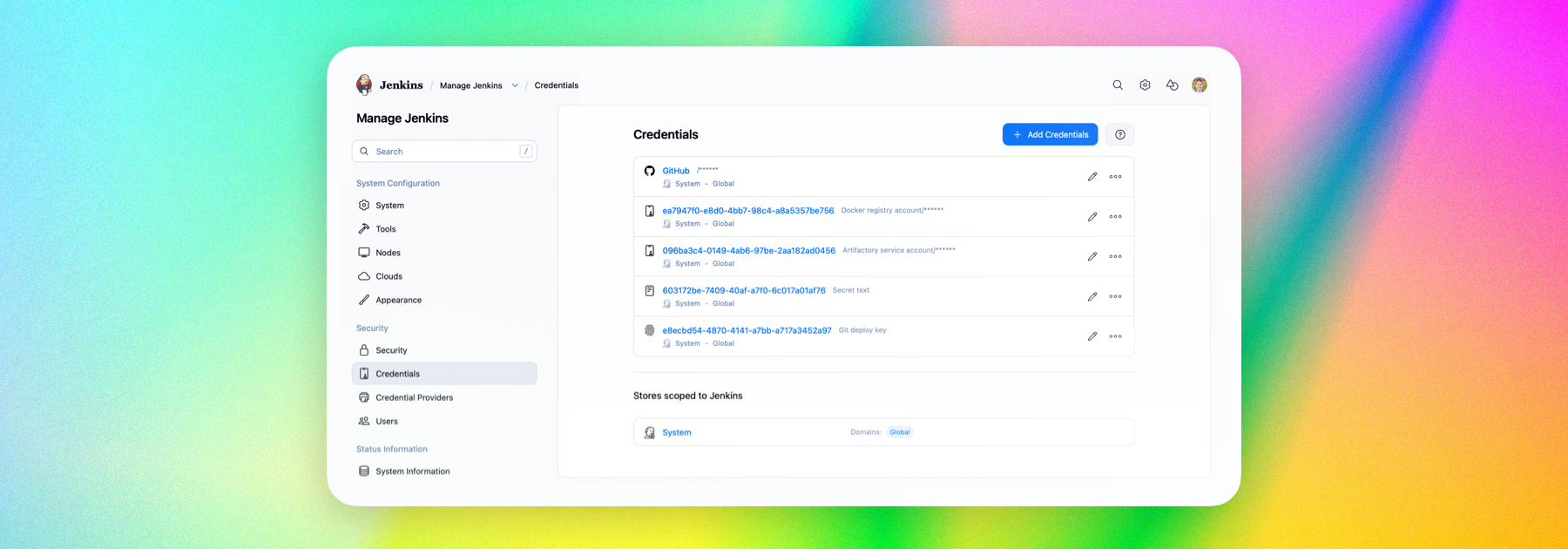
We’re introducing a fresh new look for the Credentials plugin, one of the most widely used Jenkins plugins and the foundation for securely storing and supplying credentials across Jenkins.
So what’s new?
Integration with the new Manage Jenkins UI
This update brings the plugin into Jenkins’ experimental Manage Jenkins UI, aligning credential management with the broader interface modernization underway in Jenkins core. Jenkins has been rolling out an experimental Manage Jenkins layout alongside a wider redesign focused on clarity, accessibility, and reducing older navigation patterns, and the Credentials plugin now joins that effort with its own refreshed experience. 
Goodbye tables
The old table-based layout has been replaced with card-based views that are much easier to scan and navigate. Information is presented more clearly, with less visual clutter and a stronger focus on the actions people need.
Wizards and dialogs
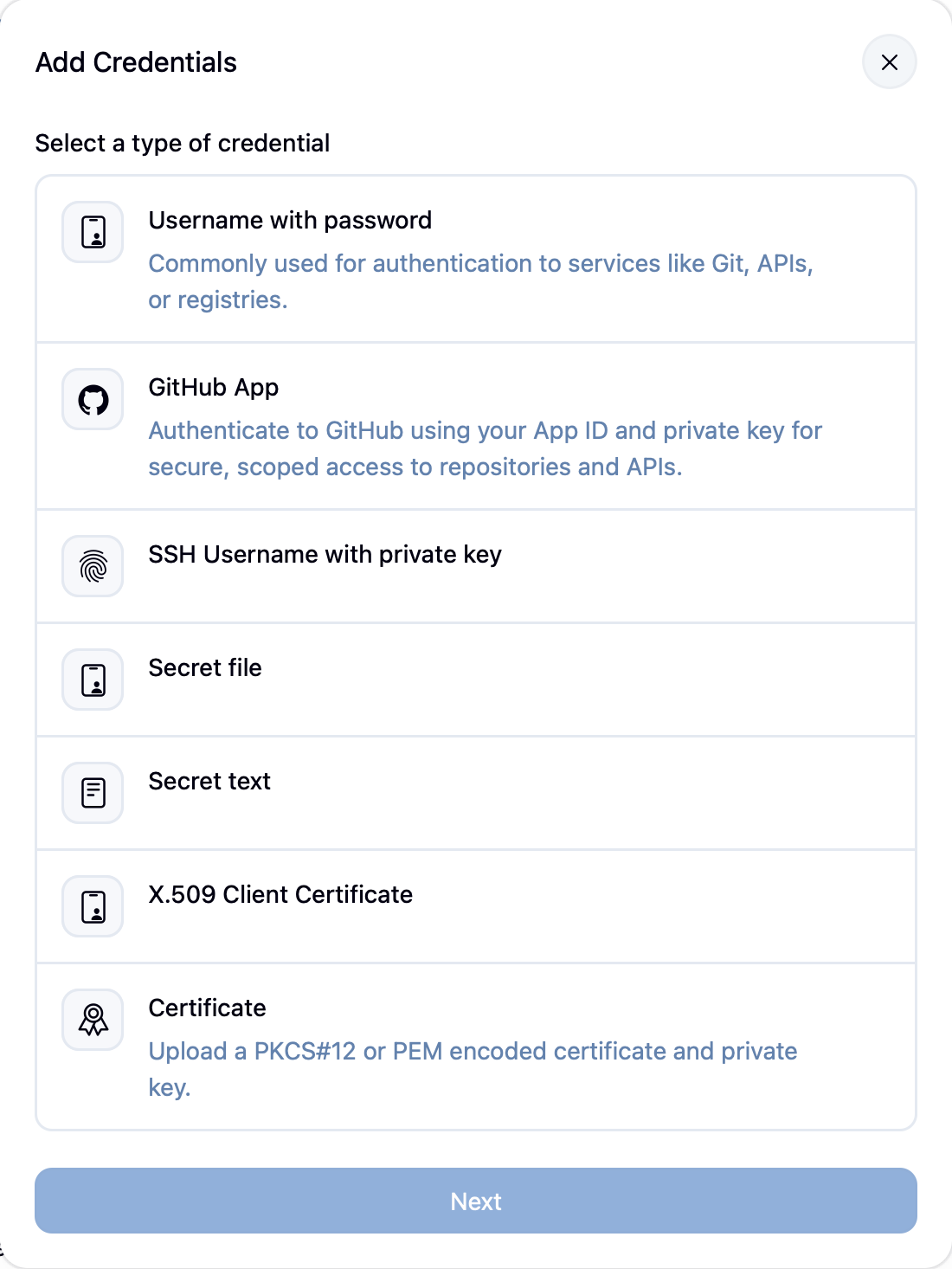
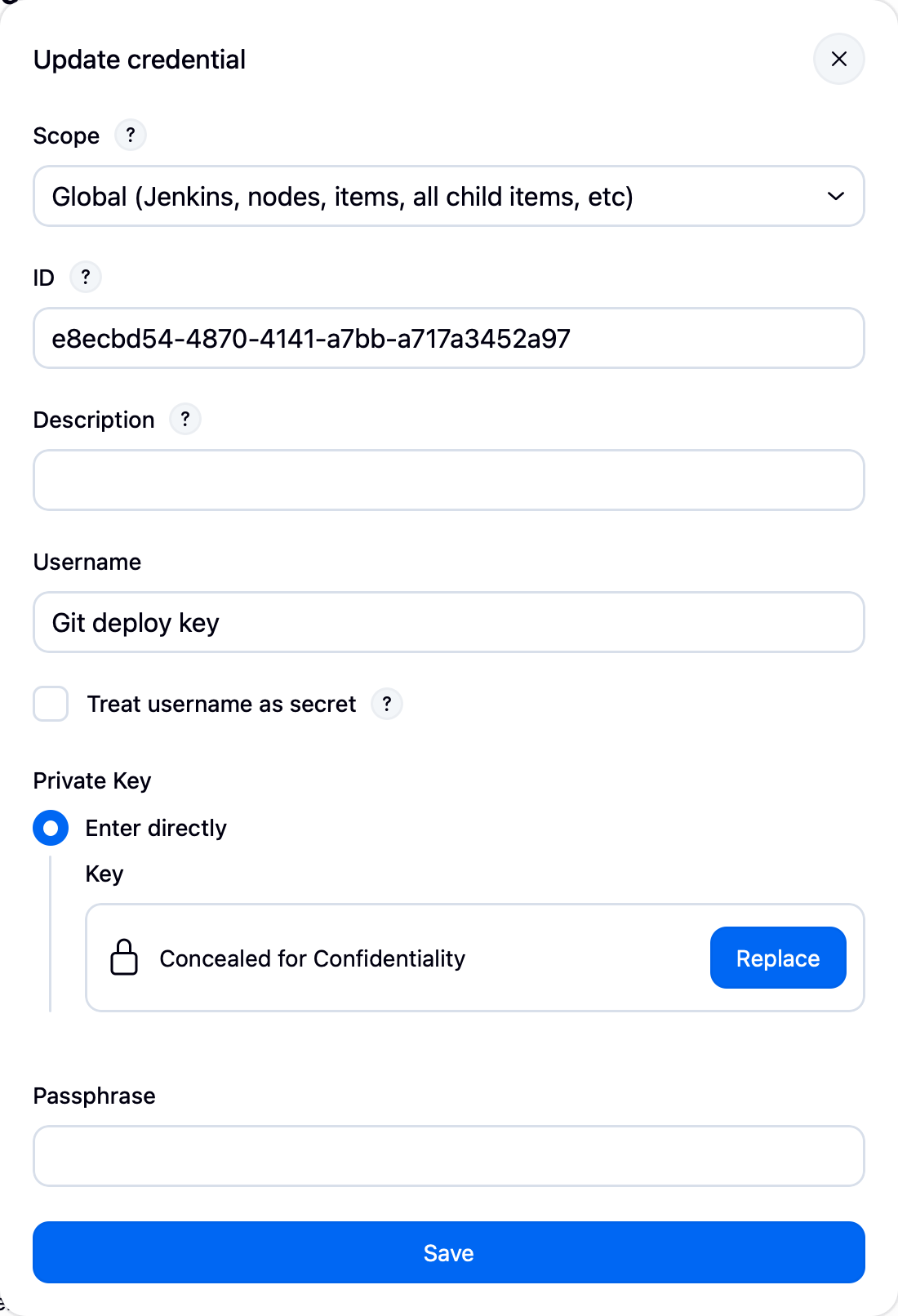
Creating credentials now happens through guided wizards that make each step clearer and easier to follow. Actions such as editing, moving, and deleting credentials are now handled in dialogs, keeping users in context instead of sending them through a chain of separate pages.
Available now 🚀
The update is available now for users on Jenkins 2.541.1 and later.
If you want to get involved in the UI and UX discussions of Jenkins join the User Experience SIG.
Take advantage of new components and patterns in your plugin via the Design Library.
About the authors