Plugin of the Month – July 2026: Disk Usage Simple

Welcome back to the Plugin of the Month series, where we highlight useful and impactful tools from the Jenkins ecosystem.
Last month, we explored the Build Discarder Plugin, focusing on how a smart global policy can automatically clean up old builds and prevent hard disk waste.
How do you locate the specific jobs or folders that are silently hoarding gigabytes without SSHing into the controller and running heavy du -sh commands that drag down performance?
This July, we are highlighting the CloudBees Disk Usage Simple Plugin the perfect tool to help you identify storage bottlenecks efficiently and trigger manual cleanups.
What is the Disk Usage Simple Plugin?
On a large Jenkins controller, calculating disk usage can be surprisingly resource-intensive.
The CloudBees Disk Usage Simple Plugin provides an elegant solution. It calculates disk usage while limiting the performance impact on your controller. And it is caching results and only recalculating when necessary.
Why It Matters: Building on Build Discarder
If you configured a global build discarder last month, you stopped the endless growth of build histories. However, a single misconfigured pipeline generating massive, untracked workspace artifacts can still fill up your disk.
Instead of waiting for a "Disk Full" alert to crash your production environment, the CloudBees Disk Usage Simple Plugin gives you a lightweight dashboard directly inside Jenkins to identify exactly which folders and jobs are wasting space.
Detailed Storage Breakdown
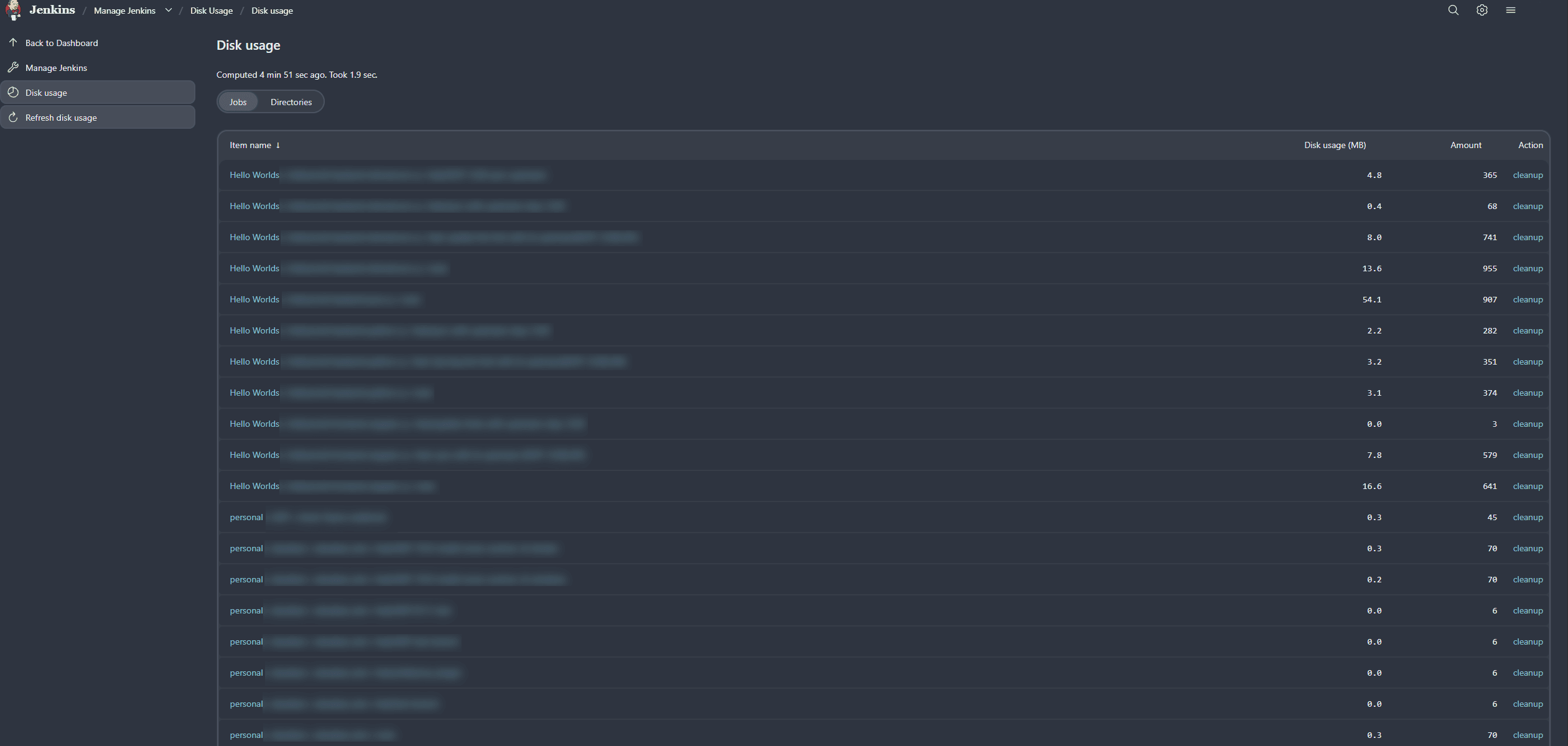
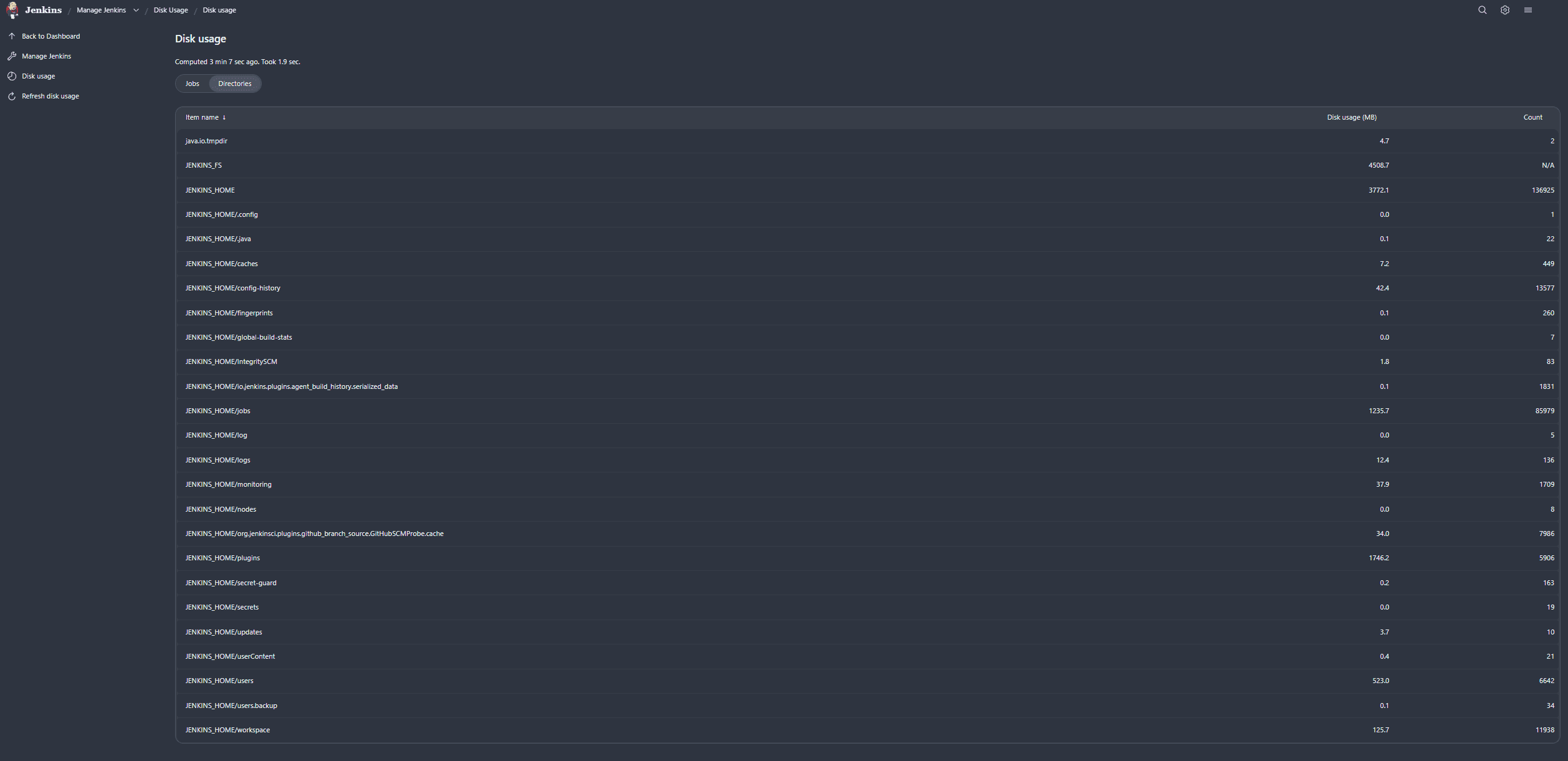
By navigating to Manage Jenkins → Disk usage, you will see a clean, sorted table for Jobs:
And for Directories:
Recalculation & Cleanup
Last month, we discussed how automated discarding handles routine hygiene. It is recalculated on a schedule. But what if you just manually deleted a major set of builds or updated a job’s discarding configuration, and you want to trigger a cleanup cycle right now?
The CloudBees Disk Usage Simple Plugin allows administrators to manually request a fresh disk usage calculation directly from the UI. This triggers an immediate, throttled scan so you can verify that your cleanup efforts worked and that your controller’s filesystem has successfully recovered the expected space.
Getting Started
To install the plugin:
-
Go to Manage Jenkins → Plugins → Available Plugins.
-
Search for
CloudBees Disk Usage Simple. -
Install and restart Jenkins if prompted.
Once installed, simply navigate to Manage Jenkins → Disk usage to see your dashboard and check if any runaway pipelines are consuming valuable storage.
Keep your controller lightweight, fast, and stable! If you have tips on how you keep your Jenkins storage organized, share them with the community in our forum.
About the author
I started contributing regularly in 2019, with a focus on improving quality. I’m also keeping up with some older plugins that are still really popular, like the Thin Backup Plugin and the Job Configuration History Plugin. The community helped me to bring these back up to standard and I learned a lot along the way. Furthermore, I use these lessons to make regular improvements to the developer documentation.
In my day job, I’m a solution architect in a central team that provides Jenkins and DevOps consulting within a big automotive and industrial company.